T
Back to videos
TITUS AI Tutorial

WhatsApp Usernames Explained : Everything You Need to Know (Privacy, AI & Business)

3 July 2026 7:57

About this video

Wanna Be Updated On AI Trends? Click This Link to Join a WhatsApp channel where i post videos and tips in real time (Its Free) https://whatsapp.com/channel/0029VbChtp4HwXb40wfDg90G . WhatsApp is introducing usernames, and this could be one of the biggest changes to the app in years. In this video, I explain everything you need to know about WhatsApp usernames, including how they work, whether they'll replace your phone number, the privacy benefits, what they mean for businesses, and how they could shape the future of AI assistants on WhatsApp. In this video you'll learn: • What WhatsApp usernames are • How usernames work • Whether your phone number will still be visible • Privacy benefits and possible risks • What usernames mean for businesses • How AI could use WhatsApp usernames in the future • Common questions people are asking If you found this video helpful, please like, subscribe, and turn on notifications for more videos about AI, technology, productivity, and the future of digital tools. 👇 What username would you reserve if WhatsApp usernames became available today? Let me know in the comments! #WhatsApp #WhatsAppUsernames #AI #Technology #Business #Privacy Discover powerful AI tools that save time and boost productivity. Subscribe for more AI tools and business tips. #aitools #artificialintelligence #productivity
Watch next

Build a Professional Church /NGO/ Charity Website in 7 Minutes with AI!
8:20

Watch on TITUS AI

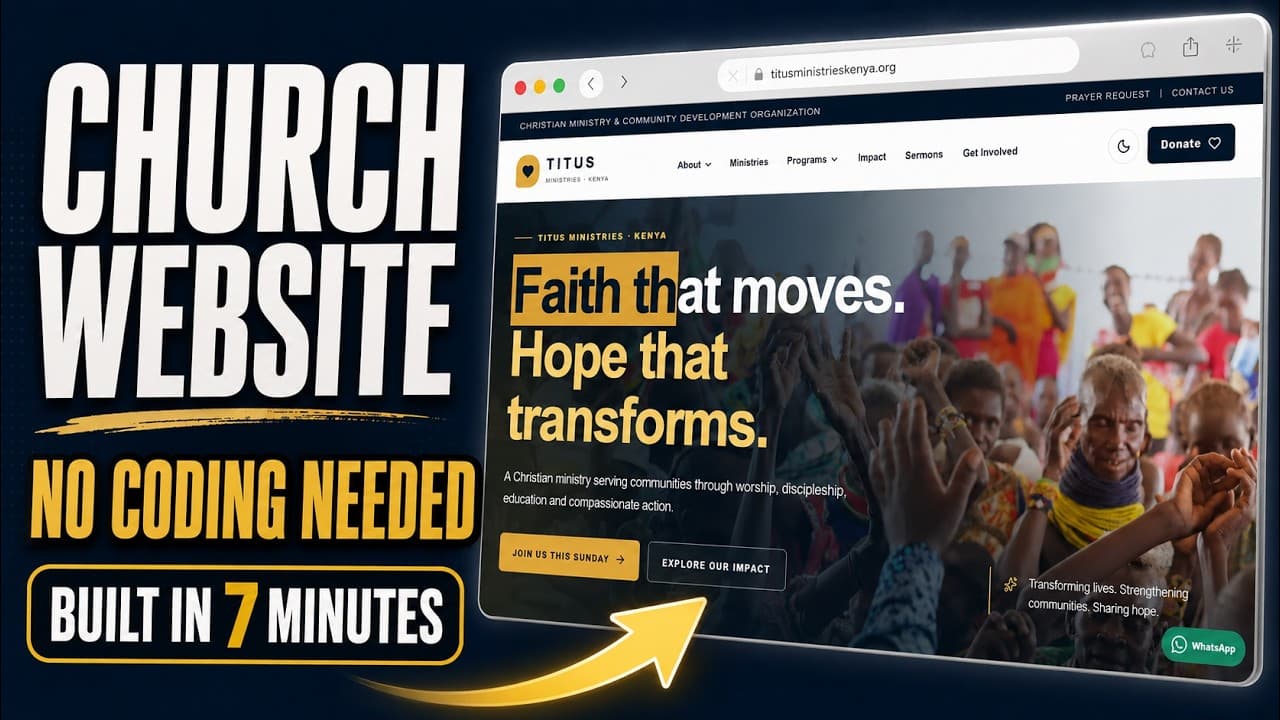
Build a Professional Church /NGO/ Charity Website in 7 Minutes with AI!

Learn how to build a fast, modern and professional church website with AI in only 7 minutes! In this step-by-step tutorial, I use ChatGPT 5.6 Sol and VS Code to create a real coded website for Titus Ministries Kenya. The website is built with Next.js, TypeScript and Tailwind CSS—not a basic drag-and-drop website builder. You’ll see how to: ✅ Write an effective website prompt ✅ Generate a complete website using ChatGPT ✅ open and run the project in VS Code ✅ Create a modern and mobile-responsive design ✅ Add ministries, sermons, events and outreach programs ✅ Include donations, prayer requests and contact sections ✅ Build a fast, SEO-friendly church website ✅ Customize the generated code for your own church This method can be used to build websites for churches, ministries, NGOs, charities and community organizations—even if you are still learning how to code. The website created in this tutorial includes: • Modern church landing page • About and ministry sections • Sermons and events • Community outreach programs • Donation page • Volunteer and partnership sections • Prayer request and contact forms • Mobile-responsive navigation • Dark mode • SEO-ready structure If you want to learn how to create professional websites and useful applications with AI, subscribe to Titus Simplifies AI for more practical tutorials. 👍 Like the video if it helped you 💬 Comment what type of website I should build next 🔔 Subscribe for more AI, coding and business tutorials #AIWebsite #ChurchWebsite #ChatGPT #WebDevelopment #VibeCoding Wanna Be Updated On AI Trends? Click This Link to Join a WhatsApp channel where i post videos and tips in real time (Its Free) https://whatsapp.com/channel/0029VbChtp4HwXb40wfDg90G . Discover powerful AI tools that save time and boost productivity. Subscribe for more AI tools and business tips. #aitools #artificialintelligence #productivity
ChatGPT Built This School Website in Minutes 😳.  Full Tutorial
7:04

Watch on TITUS AI

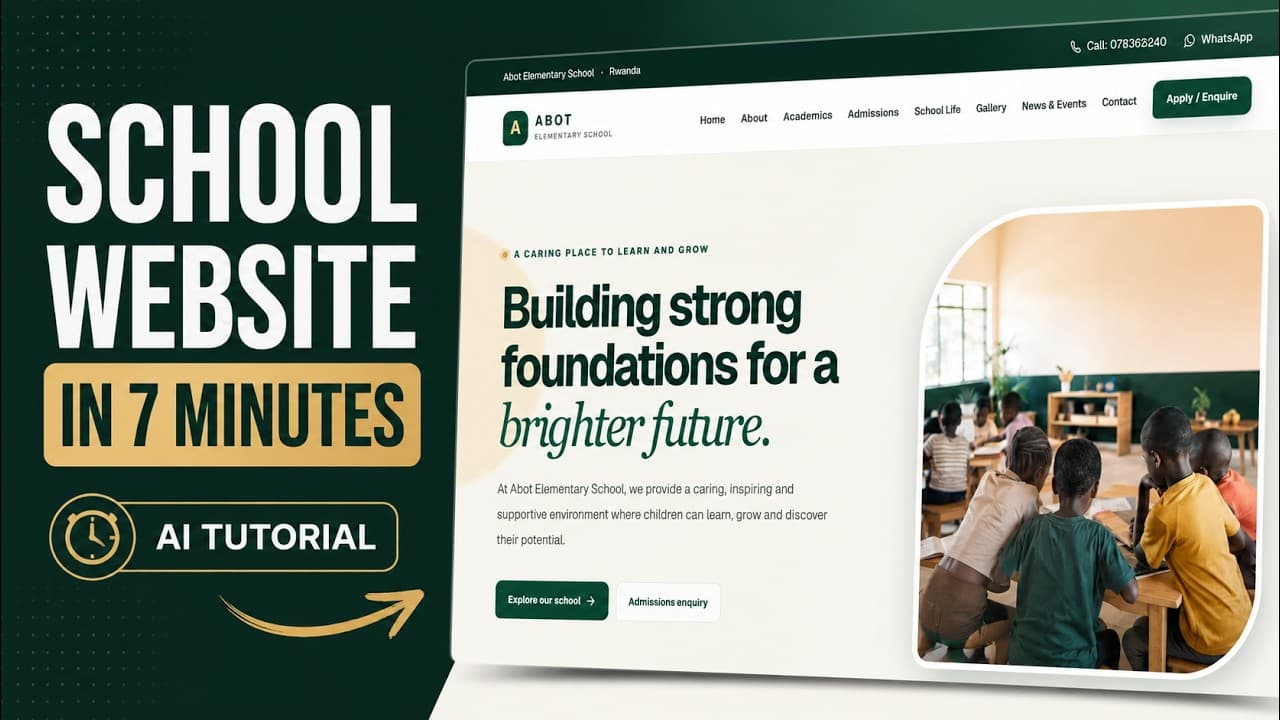
ChatGPT Built This School Website in Minutes 😳. Full Tutorial

Want to create a professional school website using AI? In this quick 7-minute tutorial, I show you how to build a beautiful, modern and responsive website for an elementary/primary school using AI and vibe coding. For this demonstration, we're creating a website for Abot Elementary School in Rwanda — complete with a professional homepage, academics section, admissions, school life, gallery, contact information, mobile responsiveness and more. You can use the same method to build websites for: ✅ Primary & Elementary Schools ✅ Nursery & Kindergarten Schools ✅ Secondary Schools ✅ Colleges & Training Centres ✅ Churches & NGOs ✅ Small Businesses ✅ Client Website Projects You don't need to spend days designing a website from scratch. With the right AI prompt and modern development tools, you can go from an idea to a professional-looking website much faster. In this video you'll learn: How to prompt AI to create a complete website How to structure a professional school website How to use AI for modern web design How to create responsive mobile layouts How to create pages like Admissions, Academics and Contact How to vibe code websites faster How AI can help beginners build real websites How you can use this skill to create websites for clients This tutorial is especially useful if you're interested in: AI web development, vibe coding, ChatGPT coding, website design, freelancing, software development or starting a web design business. If you're in Uganda, Rwanda, Kenya, Tanzania, Nigeria, Ghana, South Africa or anywhere in Africa, this is a skill you can use to start creating websites for schools and businesses around you. 👍 If the video helps you, LIKE it. 💬 Comment what type of website I should build next. 🔔 SUBSCRIBE for more practical AI tutorials, vibe coding projects and real-world apps. Wanna Be Updated On AI Trends? Click This Link to Join a WhatsApp channel where i post videos and tips in real time (Its Free) https://whatsapp.com/channel/0029VbChtp4HwXb40wfDg90G . Discover powerful AI tools that save time and boost productivity. Subscribe for more AI tools and business tips. #AI #ChatGPT #VibeCoding #WebDevelopment #WebsiteDesign #AITutorial #Coding #SchoolWebsite #aitools #artificialintelligence #productivity

Build a Beautiful Business Website With ChatGPT 5 6 in 7 Minutes No Coding
7:12

Watch on TITUS AI

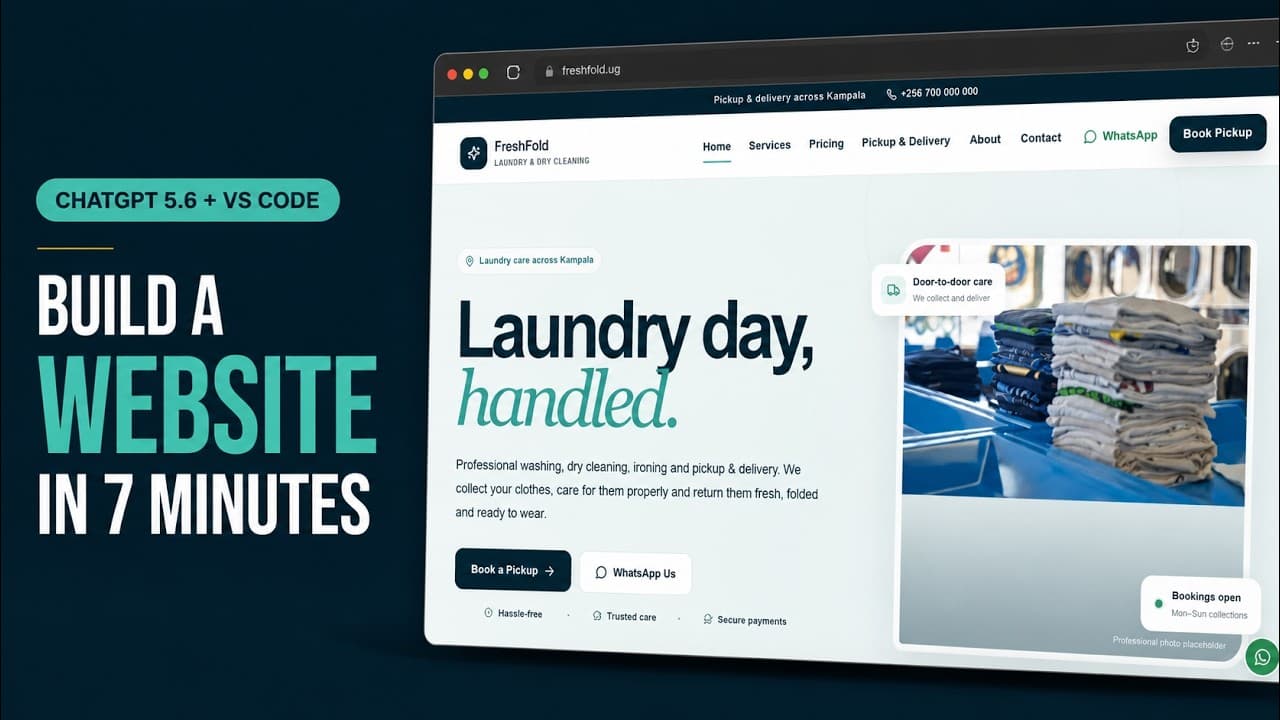
Build a Beautiful Business Website With ChatGPT 5 6 in 7 Minutes No Coding

Build a beautiful, professional business website using ChatGPT 5.6 Sol and VS Code—in only 7 minutes. In this beginner-friendly vibe coding tutorial, I create a complete modern website for a laundry company without manually writing the code. ChatGPT handles the development while I use VS Code to manage and preview the project. Although I use a laundry business in this tutorial, you can follow the same process to create websites for restaurants, schools, churches, shops, agencies, salons, NGOs and almost any other business. In this video, you’ll learn: ✅ How to turn a business idea into a detailed website prompt ✅ How to use ChatGPT 5.6 Sol for web development ✅ How to vibe code inside ChatGPT Work ✅ How to open and manage the website in VS Code ✅ How to create a modern, responsive business website ✅ How beginners can build websites without manually coding Explore more practical AI tutorials, websites and tools: https://titussimplifies.com/ Tools used: ChatGPT: https://chatgpt.com/ Visual Studio Code: https://code.visualstudio.com/ If this tutorial helps you, subscribe to Titus Simplifies AI for more practical videos about AI, vibe coding, business automation and building real applications. #VibeCoding #ChatGPT #WebDesignWanna Be Updated On AI Trends? Click This Link to Join a WhatsApp channel where i post videos and tips in real time (Its Free) https://whatsapp.com/channel/0029VbChtp4HwXb40wfDg90G . Discover powerful AI tools that save time and boost productivity. Subscribe for more AI tools and business tips. #aitools #artificialintelligence #productivity
I Built a Professional Invoice Generator With AI — Full Vibe Coding Tutorial
45:15

Watch on TITUS AI

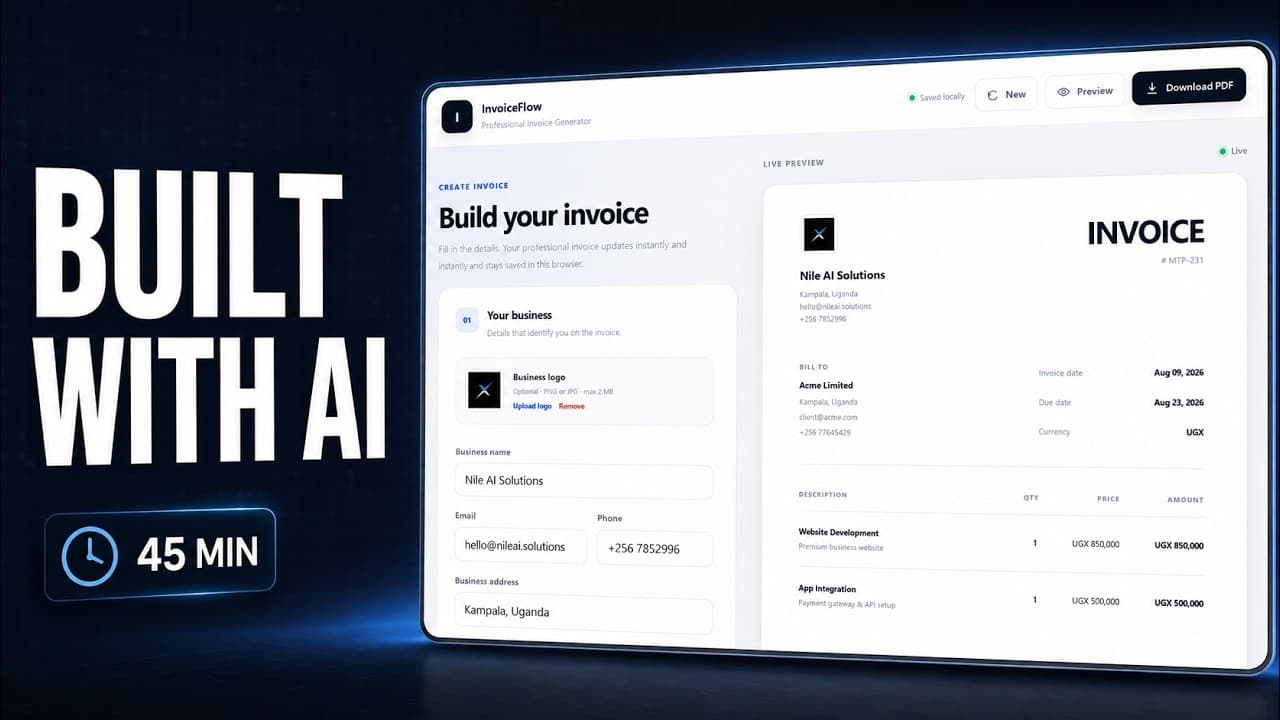
I Built a Professional Invoice Generator With AI — Full Vibe Coding Tutorial

🚀 Build and try the finished Invoice Generator: https://invoice.titussimplifies.com/ 🌐 More AI tutorials, tools and projects: https://www.titussimplifies.com/ In this video, I build a complete professional Invoice Generator web app from scratch using AI and vibe coding. This is a full step-by-step build — not just a demo. We start with an empty project and build the application together until we have a polished web app that can create real invoices and export them as professional PDFs. By the end of the video, our Invoice Generator can: ✅ Add business/company details ✅ Add customer/client information ✅ Create invoice numbers ✅ Set invoice and due dates ✅ Add multiple products and services ✅ Calculate quantity × price automatically ✅ Calculate subtotal automatically ✅ Add VAT / tax ✅ Apply percentage or fixed discounts ✅ Calculate the final invoice total ✅ Select different currencies ✅ Add payment information ✅ Add invoice notes ✅ Upload a business logo ✅ Preview the invoice live ✅ Save invoice information locally ✅ Download the finished invoice as a PDF ✅ Work on desktop and mobile ✅ Deploy the finished app online We keep the project intentionally simple. There is no authentication, no database, no paid API and no complicated backend. The goal of this tutorial is to show you how much you can build with AI even if you're still learning web development. TECH USED: • React • TypeScript • Vite • CSS • Local Storage • jsPDF • html2canvas • GitHub • Vercel We also deploy the finished application and connect it to a custom domain. 🔗 TRY THE FINISHED APP https://invoice.titussimplifies.com/ 🔗 FIND MORE OF MY AI PROJECTS & TUTORIALS https://www.titussimplifies.com/ If you follow along, try building your own version instead of copying everything exactly. Change the design, add your own features and use the project to understand how modern web applications are put together. If you enjoy practical AI, vibe coding, web development and building useful applications from scratch, subscribe for more. More projects are coming. #VibeCoding #AI #WebDevelopment #React #InvoiceGenerator #BuildWithAI #CodingTutorial Wanna Be Updated On AI Trends? Click This Link to Join a WhatsApp channel where i post videos and tips in real time (Its Free) https://whatsapp.com/channel/0029VbChtp4HwXb40wfDg90G . Discover powerful AI tools that save time and boost productivity. Subscribe for more AI tools and business tips. #aitools #artificialintelligence #productivity