Watch next
Full videoWatch on TITUS AI
How to Create Viral AI Singing Videos Step-by-Step 100% Free
Those viral AI videos of beautiful women singing on TikTok? 👀 You can create them too. In this quick 2-minute tutorial, I’ll show you exactly how to create an AI woman singing video that looks realistic, add AI-generated vocals, and turn it into content ready for TikTok, Instagram Reels, and YouTube Shorts. No advanced editing skills required. 🔥 Watch until the end and try creating your own viral AI video. If you enjoy practical AI tutorials that actually show you how to build things, subscribe to Titus Simplifies AI. #AI #AITikTok #AIvideo #TikTokTips #GenerativeAIWanna Be Updated On AI Trends? Click This Link to Join a WhatsApp channel where i post videos and tips in real time (Its Free) https://whatsapp.com/channel/0029VbChtp4HwXb40wfDg90G . Discover powerful AI tools that save time and boost productivity. Subscribe for more AI tools and business tips. #aitools #artificialintelligence #productivity

Full videoWatch on TITUS AI
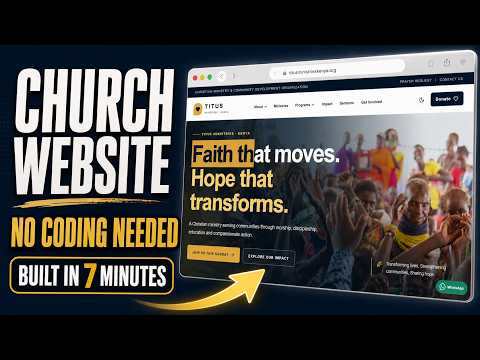
Build a Professional Church /NGO/ Charity Website in 7 Minutes with AI!
Learn how to build a fast, modern and professional church website with AI in only 7 minutes! In this step-by-step tutorial, I use ChatGPT 5.6 Sol and VS Code to create a real coded website for Titus Ministries Kenya. The website is built with Next.js, TypeScript and Tailwind CSS—not a basic drag-and-drop website builder. You’ll see how to: ✅ Write an effective website prompt ✅ Generate a complete website using ChatGPT ✅ open and run the project in VS Code ✅ Create a modern and mobile-responsive design ✅ Add ministries, sermons, events and outreach programs ✅ Include donations, prayer requests and contact sections ✅ Build a fast, SEO-friendly church website ✅ Customize the generated code for your own church This method can be used to build websites for churches, ministries, NGOs, charities and community organizations—even if you are still learning how to code. The website created in this tutorial includes: • Modern church landing page • About and ministry sections • Sermons and events • Community outreach programs • Donation page • Volunteer and partnership sections • Prayer request and contact forms • Mobile-responsive navigation • Dark mode • SEO-ready structure If you want to learn how to create professional websites and useful applications with AI, subscribe to Titus Simplifies AI for more practical tutorials. 👍 Like the video if it helped you 💬 Comment what type of website I should build next 🔔 Subscribe for more AI, coding and business tutorials #AIWebsite #ChurchWebsite #ChatGPT #WebDevelopment #VibeCoding Wanna Be Updated On AI Trends? Click This Link to Join a WhatsApp channel where i post videos and tips in real time (Its Free) https://whatsapp.com/channel/0029VbChtp4HwXb40wfDg90G . Discover powerful AI tools that save time and boost productivity. Subscribe for more AI tools and business tips. #aitools #artificialintelligence #productivity
Full videoWatch on TITUS AI
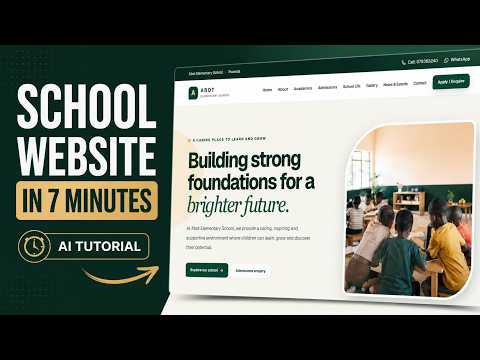
ChatGPT Built This School Website in Minutes 😳. Full Tutorial
Want to create a professional school website using AI? In this quick 7-minute tutorial, I show you how to build a beautiful, modern and responsive website for an elementary/primary school using AI and vibe coding. For this demonstration, we're creating a website for Abot Elementary School in Rwanda — complete with a professional homepage, academics section, admissions, school life, gallery, contact information, mobile responsiveness and more. You can use the same method to build websites for: ✅ Primary & Elementary Schools ✅ Nursery & Kindergarten Schools ✅ Secondary Schools ✅ Colleges & Training Centres ✅ Churches & NGOs ✅ Small Businesses ✅ Client Website Projects You don't need to spend days designing a website from scratch. With the right AI prompt and modern development tools, you can go from an idea to a professional-looking website much faster. In this video you'll learn: How to prompt AI to create a complete website How to structure a professional school website How to use AI for modern web design How to create responsive mobile layouts How to create pages like Admissions, Academics and Contact How to vibe code websites faster How AI can help beginners build real websites How you can use this skill to create websites for clients This tutorial is especially useful if you're interested in: AI web development, vibe coding, ChatGPT coding, website design, freelancing, software development or starting a web design business. If you're in Uganda, Rwanda, Kenya, Tanzania, Nigeria, Ghana, South Africa or anywhere in Africa, this is a skill you can use to start creating websites for schools and businesses around you. 👍 If the video helps you, LIKE it. 💬 Comment what type of website I should build next. 🔔 SUBSCRIBE for more practical AI tutorials, vibe coding projects and real-world apps. Wanna Be Updated On AI Trends? Click This Link to Join a WhatsApp channel where i post videos and tips in real time (Its Free) https://whatsapp.com/channel/0029VbChtp4HwXb40wfDg90G . Discover powerful AI tools that save time and boost productivity. Subscribe for more AI tools and business tips. #AI #ChatGPT #VibeCoding #WebDevelopment #WebsiteDesign #AITutorial #Coding #SchoolWebsite #aitools #artificialintelligence #productivity
Full videoWatch on TITUS AI
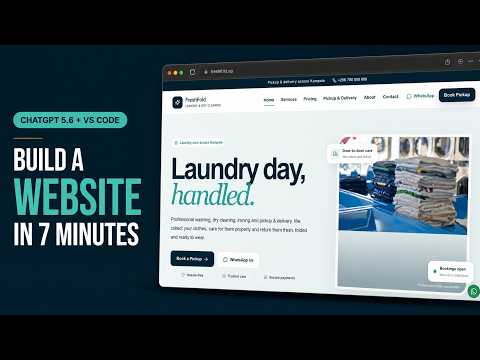
Build a Beautiful Business Website With ChatGPT 5 6 in 7 Minutes No Coding
Build a beautiful, professional business website using ChatGPT 5.6 Sol and VS Code—in only 7 minutes. In this beginner-friendly vibe coding tutorial, I create a complete modern website for a laundry company without manually writing the code. ChatGPT handles the development while I use VS Code to manage and preview the project. Although I use a laundry business in this tutorial, you can follow the same process to create websites for restaurants, schools, churches, shops, agencies, salons, NGOs and almost any other business. In this video, you’ll learn: ✅ How to turn a business idea into a detailed website prompt ✅ How to use ChatGPT 5.6 Sol for web development ✅ How to vibe code inside ChatGPT Work ✅ How to open and manage the website in VS Code ✅ How to create a modern, responsive business website ✅ How beginners can build websites without manually coding Explore more practical AI tutorials, websites and tools: https://titussimplifies.com/ Tools used: ChatGPT: https://chatgpt.com/ Visual Studio Code: https://code.visualstudio.com/ If this tutorial helps you, subscribe to Titus Simplifies AI for more practical videos about AI, vibe coding, business automation and building real applications. #VibeCoding #ChatGPT #WebDesignWanna Be Updated On AI Trends? Click This Link to Join a WhatsApp channel where i post videos and tips in real time (Its Free) https://whatsapp.com/channel/0029VbChtp4HwXb40wfDg90G . Discover powerful AI tools that save time and boost productivity. Subscribe for more AI tools and business tips. #aitools #artificialintelligence #productivity